Sportsgrid Staff
Host · Writer - Last Updated: 11/17/25

If you’re a keen sweepstakes gamer or someone looking to make a start with this format, a LoneStar app would be a sensational place to start. Enjoying games on your handheld device is the easiest way to play.
With mobile-first gaming more and more the norm for players, the demand for apps as an option is undoubtedly growing. However, not every site takes the same approach, so it is worth reading more about how the casino deals with its mobile offering, and what you may learn when looking for a LoneStar iOS app. Let’s start with the basics.

Let’s start by answering the question on its most basic level: No. There is not, at present, a LoneStar app available for download, no matter which operating system your device runs on. For now, that’s by design. LoneStar has chosen not to launch an app for its relatively new sweeps platform, so if you can’t find it at the App Store or Play Store, you aren’t looking for the wrong thing or running up against restrictions; it just isn’t there.
This isn’t uncommon for sweepstakes casinos, at least outside the very biggest names in the business. Developing a mobile app takes money, time, and the focus of your best tech and code experts. Insisting on an app from the beginning can delay getting anything online and mean whatever you do put out is buggy and off-putting. And that’s before we even mention the geo-restrictions that sweepstakes casinos have to stay on the right side of. In lieu of a LoneStar app, the provider has focused on getting a good product online and making sure that the site is mobile-optimised. And here, they’ve triumphed.
By not diverting assets toward app development, LoneStar has been able to create a service that caters to both laptop players and mobile-first users. Sure, many people would still prefer to have an app for quicker access and to receive notifications. Maybe in the future, they’ll get just that. But for now, it has to be said: the mobile site works very much like an app—and if you add it to your bookmarks, you’ll be able to access it almost as quickly as any app out there. It allows you to do just about everything, from claiming LoneStar Casino gold coins and sweeps coins to joining the LoneStar Casino VIP program.

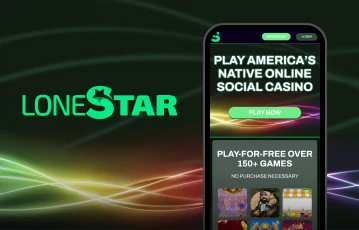
Even though there is no LoneStar app, there is very little difference in experience between what would be available with an app, and what you can avail of as things stand. The mobile site is, genuinely, so close to what an app would offer that there really is no difference. LoneStar casino has been optimized to work seamlessly on a mobile browser, whether you’re on an iPhone running Safari, an Android phone with Chrome, or for that matter any of the downloadable browsers such as Opera or Firefox.
People may be calling out for a LoneStar iOS app because they feel that the immediacy and the functionality of a mobile app is something that can’t be replicated in their browser. That’s not an experience that anyone has reported from playing on the mobile version of the site. It’s fully responsive, reacting automatically to the dimensions of your screen; the buttons are tap-friendly and responsive, and games load with a minimum of lag; certainly nothing we’ve never seen on an app.
Essentially, anything you would want from an app is automatically available to you on the mobile site. You have full access to all games, the same promotions, and all the user account settings. It’s easy to register, redeem prizes, and trigger bonuses just as you might on desktop, or with an app. And by not having to download a LoneStar app, you’re not left with a crowded app screen or limited in terms of the memory available on your phone. All in all, the absence of an app isn’t something to get hung up on. Just remember to have your limits and play responsibly.

While the absence of a downloadable LoneStar app may seem disappointing to some users, the mobile site carries with it some notable benefits that users may initially overlook.
As we have already mentioned, there is no demand on storage space on your device. There is no installation required, so whether you are using iOS or Android, you can instantly access the LoneStar site through your browser. And what’s even better is that if the provider updates the site, this happens automatically for you, whereas on an app you’d need to download any update; something which can take a while and leave you without app access while it runs.
Furthermore, the site is specifically optimized for fast loading and smooth navigation. If a company is simultaneously working on an app and a website, it means that at best they are trying to do two jobs to an equal level, and this may not work out. In this case, all hands have been on deck for the site, and so every effort has been focused on making it work with a minimum of delay and lag. This means the mobile site works as speedily and as smoothly as any app.#
Also, by using the mobile site, you have the full functionality of the platform, from claiming offers to redeeming prizes and everything else besides. As much as you may be led to believe that the absence of a LoneStar iOS app means you’re missing out, you’re really getting the same experience as any other user.
| Feature | Mobile Browser (LoneStar) | Dedicated App |
|---|---|---|
| Download Required | No | Yes |
| Storage Space Used | Minimal | Moderate to High |
| Game Availability | Full selection available | Would depend on app |
| Speed & Performance | Fast and responsive | Varies by device |
| Updates Needed | Automatic | Manual |
| Add to Home Screen | Yes (browser shortcut) | Yes |
| Legal Compliance | Designed for sweepstakes | May face restrictions |
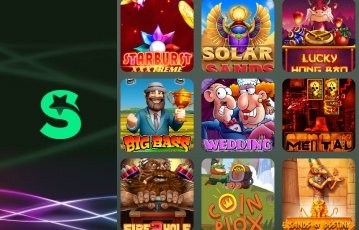
In the absence of a LoneStar app, you won’t be left unable to access the sweeps casino’s full game library. Everything that is available on the big screen is also there for you on the mobile site; this means there is a solid mix of slots that ranges from the basic three-reel classics to more visually arresting styles.
You’ll find titles here from NetEnt and Swintt, representing a selection of some of the top games out there – and that’s before we even get to the table games which make this the full sweeps casino experience. The interface, adapted for mobile screens, makes it easy to navigate among different sections of the casino. No app, no problem is the message here – all the LoneStar Casino best slots are there for you to play.
The first part of this is fairly obvious, but for clarity, accessing LoneStar Casino on your iOS or Android phone really is simple: all you need to do is open your preferred browser and head directly to the LoneStar website.
And then there’s this handy hint: If you’re really looking out for an app-like experience, you can always add a shortcut to your home screen. Simply visit the Options section in your browser and you’ll have the opportunity to do this, a step which creates a shortcut icon on your device which, while not an app, will launch the mobile site in its own window. So while there isn’t a LoneStar iOS app nor one for Android, you can have all the convenience of there being an app without needing to place demands on your device.
One of the complications that makes it hard for sweeps casinos to have an app is the difficulty of presenting one to the relevant app stores while keeping on the right side of the law as it pertains to geo-locking. LoneStar operates in accordance with US sweepstakes law and as a result is legal in most states. Most, but not all. As you may have seen on our post about LoneStar Casino legal states, there are 43 states where you can play at this sweeps casino. The seven where you cannot are: Connecticut, Idaho, Michigan, Montana, Nevada, New York, and Washington.
Outside of these states, even if you cannot download a LoneStar iOS app, you can still play all the games, redeem prizes, and enjoy the social side of LoneStar Casino in full.
If you have been looking for a dedicated LoneStar app, you’re not alone – and right now, there isn’t one, but does that really matter when the mobile site delivers everything that an app could? I’d say not, but opinions might differ. The mobile site does allow you to play and even redeem your SC winnings for rewards there, provided that you meet the site’s requirements. And you can participate fully in the social side of things from your phone – and as our LoneStar Casino review explains, there really is a lot to enjoy here.
While there aren’t any talks about LoneStar Casino providing a sweepstakes app, who knows, maybe they’re working on it to allow players who prefer playing on mobile apps a chance to have the best experience of their online sweeps gaming.
No, there is no dedicated app for LoneStar, for iOS or Android. There are no recorded plans for one yet, either. However, the site is fully optimized to work smoothly via mobile browsers.
You certainly can. The site is fully optimized for phone browsers, and you can even add a shortcut to your mobile home screen. This gives you all the convenience of an app without needing to download one.
LoneStar, as a relatively new platform, has chosen to prioritize a browser-based experience. This ensures better compatibility across all devices and avoids platform restrictions. Since the mobile version offers everything an app could, there’s currently no need for a standalone application.













_1682010035.svg)